
How to Make a WhatsApp Click-to-Chat Link & QR Code for Your Business
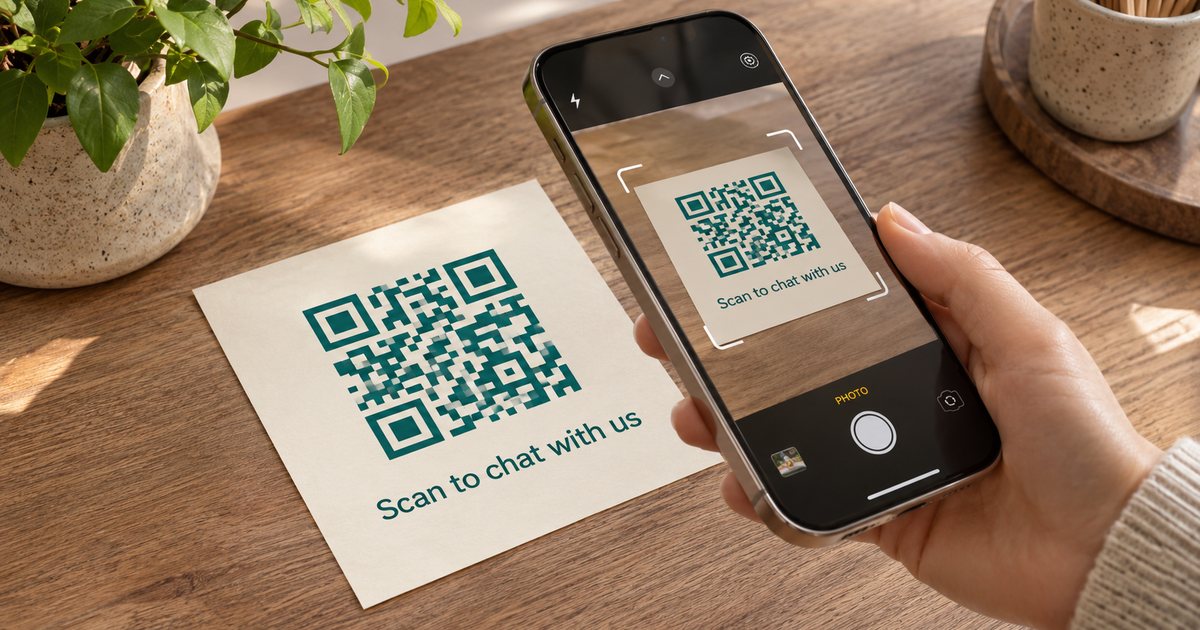
A WhatsApp click-to-chat link is a short web address that opens a chat with you. When someone taps it on a phone or computer, WhatsApp opens with your number already filled in, so they can write to you without saving your number first. Add a message to the link & that text waits in the box, ready for them to edit or send.
It helps anywhere customers might have a question: a website button, a profile bio, a paper receipt, a menu or a shop window. Here is how to make the link, add a message, turn it into a QR code & share it with care.
What the link looks like
Every click-to-chat link has the same shape:
https://wa.me/your-full-number
To include a ready-made message, add ?text= followed by the message:
https://wa.me/your-full-number?text=your-message
The number must include the country code & use digits only. Leave out plus signs, spaces & the leading zero some countries use for local dialling. The country code stays; the extra zero goes. If a chat opens to the wrong account, check this first.
Make the link by hand
- Write your number in international form, digits only.
- Put it after
https://wa.me/. - Want a pre-filled message? Add
?text=& then the message. Spaces, line breaks & some punctuation must be written in a web-safe way. A space, for example, becomes%20.
Most people do not want to encode text by hand, which is why a generator is handy for anything longer than a few words.
Then test it. Open the link from a phone that has no chat with you yet, or from a computer, & check that WhatsApp opens to the right number with the right message. Testing only from your own phone can hide a typo, because a chat with yourself behaves differently.
Make it faster, with a QR code
Rather than build the address yourself, use our free WhatsApp link generator & QR code tool. Pick your country, type your number, add an optional message of up to 1,000 characters & press "Generate my link & QR code".
- The link & QR code are made in your browser. Nothing you type is sent to or saved on PingFlock's servers.
- There is no sign-up, & the link does not expire.
- You can copy the wa.me address, open it to test & download the QR code as a PNG.
- It works with the regular WhatsApp app & the WhatsApp Business app. Use the number that is registered on WhatsApp.
The message is part of the link itself. To change the greeting later, make a new link & QR code, then replace the old ones wherever you shared them. Old links keep working, so the old wording will keep appearing until you update those places.
What to put in the pre-filled message
Keep it short, clear & easy to edit. The person can change it before sending, so treat it as a starting line, not a script. A few that work well:
- "Hi, I would like to know more about your services."
- "Hi, I would like to book a table."
- "Hi, I have a question about my order."
Avoid long promotional copy here. A heavy message feels pushy before the chat has even begun, & one helpful sentence is enough. This link is for someone who already wants to write to you.
If you use one number for both private & business chats, consider a separate business number for your public link, so family messages & customer questions do not land in the same place.
Where to use the link & QR code
- Your website: add a "Chat with us" button on your contact, product or booking page.
- Shop or profile bio: one tap lets someone ask a question.
- Email signature: a short "Message us on WhatsApp" line under your name gives every email a quick way to continue the conversation.
- Paper: a QR code is clearer than a long address. Print it on receipts & invoices, flyers, menus, packaging, shop windows or event stands. People scan it with their phone camera.
For print, test the QR code at the size you will actually use. A code that is too small, low in contrast or stretched will not scan. Leave a little clear space around it & add a short line such as "Scan to chat with us on WhatsApp", so people know what it does.
Checks before you share it widely
- Send a test from a second phone, or ask a colleague who has not saved your number.
- Confirm the pre-filled message looks right, with no missing spaces or odd characters.
- Make sure you will actually see & answer those chats. A link nobody answers is worse than no link.
- If you change numbers, replace every link & QR code. They point to a number, not a name.
One more thing. The link makes it easier for people to start a chat with you. It does not give you permission to message people who never wrote to you. Treat it as a door they can walk through, not a way to start conversations they did not ask for.
What comes next
A click-to-chat link is one of the simplest ways to let interested people reach you on WhatsApp. Get the number right, keep the message short, test it once & put the link or QR code where questions already happen.
Once customers start writing to you, you can keep in touch with the ones who said yes. Learn how to keep each message personal without copy-pasting, or start a free PingFlock trial to send personalised messages from your own number.
Try PingFlock free for 7 days
100 messages, 1 WhatsApp number, no card needed. Send personal messages to customers who said yes to hearing from you.
Start your free trialOr watch the 5-minute tutorial →PingFlock is an independent tool and is not affiliated with, endorsed by, or sponsored by WhatsApp or Meta.