
WhatsApp Business App vs Other Tools: When the Free App Stops Being Enough
The WhatsApp Business app is free, & for many businesses it is the right place to start. You get a business profile, greeting & away messages, quick replies, labels & a catalog. You chat with customers on your phone, from the number they already know. For many teams that is enough for a long time.
The strain starts when the work outgrows what a phone can comfortably do in one sitting. That is not a reason to drop the app. It is a reason to be clear about which jobs still belong in it, & which need another tool beside it.
What the free app already does well
Everyday one-to-one conversation is its strength. A customer writes, you reply & the thread stays on your phone. Quick replies save you retyping answers. Labels help you find chats again. A catalog & a profile show people who you are before they write.
For updates to a modest list of people who have all saved your number, a broadcast list can also be enough. WhatsApp says each list can include up to 256 contacts, & the message is sent from the phone, not from WhatsApp Web or desktop. Only people who saved your number receive it, & everyone gets the same text.
In some countries WhatsApp also offers paid business broadcasts, charged per message, with insights & scheduling. These are not available everywhere, so check inside the app for your country before you plan around them.
Signs the app alone is starting to strain
You may have outgrown a phone-only routine when several of these are true at once:
- Your customer list lives in a spreadsheet, & you want to write to everyone on it, not only the people who saved your number.
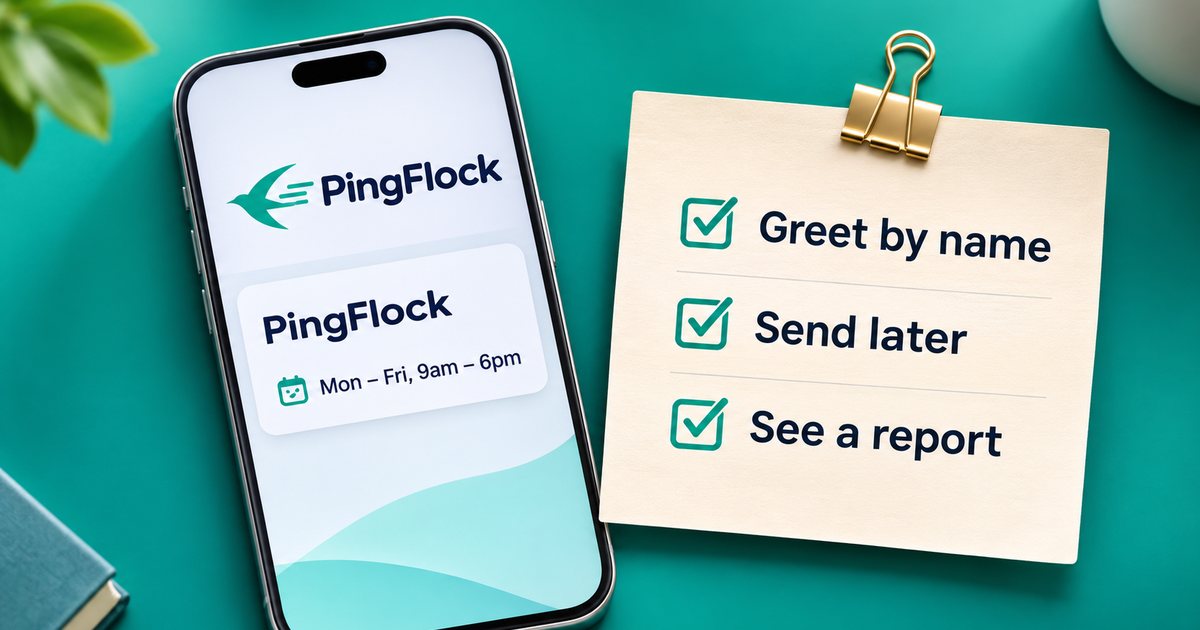
- You want each person greeted by name, with wording that is not identical every time.
- You want to prepare an update now & send it later, in your own time zone, instead of sitting with your phone at the chosen hour.
- You need a simple report of who was sent, skipped or failed, instead of scrolling through chats to piece it together.
Other signs point to a different kind of tool: several people handling the same incoming chats, a catalog with payments inside WhatsApp, chatbot flows, or official templates for very high volumes & one-time codes.
One or two of these, now & then, can be handled by hand. When they become the weekly routine, a second tool starts to earn its place.
Three paths, not one race
Think of this as a choice between jobs, not a contest with one winner.
Stay with the WhatsApp Business app
Choose this when most of your work is live conversation, your lists are small & a shared text to people who saved your number is enough. The app costs nothing, & you keep every built-in chat tool.
Add a lighter customer-messaging tool
Choose this when you want to keep your current WhatsApp or WhatsApp Business number on your phone, skip official API applications & template approval, & send a personal one-to-one message to people on your own list. Replies still land in your usual chats.
These tools are not the official WhatsApp Business API, & WhatsApp decides which numbers it restricts. That makes them a poor fit for cold outreach & a better fit for customers who already opted in, with pacing, daily caps & a clear opt-out. Plans are usually a flat monthly or yearly price with a message allowance, rather than a per-message fee from the tool.
Choose an official WhatsApp Business Platform provider
Choose this when you need the route WhatsApp approves for businesses: a shared team inbox, chatbots, in-chat catalogs & payments, CRM features or official template messages at a larger scale. The trade-off is real. You often go through business verification, start chats with approved templates & pay per-message charges that vary by template type & country. In many cases a personal WhatsApp account on that number cannot stay as it is. These platforms are stronger when a team, not one person with a phone, does the work.
The useful question is not "which product is best". It is "which of these jobs am I hiring a tool to do?"
A practical way to decide
Write down last month's WhatsApp work. How many chats were true one-to-one replies? How many were the same update sent to a list? Did any customers miss a broadcast because they had not saved your number? Did you need names, a later send time or a record of what went out?
- Mostly live replies? Stay with the app a while longer. Learn its labels, quick replies & broadcast lists properly before you pay for anything else.
- List updates taking over your evenings? Look at a tool that works alongside the app, not instead of it. Keep the Business app for profiles, catalogs & daily chats, & use the second tool for the job the app does not cover well: a personal message to many opted-in customers, from your own number, at a pace you can stand behind.
- Building a support or sales desk? With several teammates, automations or in-chat payments, look at official API providers & budget for verification time plus per-message fees.
For a closer, fact-checked look at one lighter tool & the free app, including what each needs to get started, who receives a message & how scheduling works, read our side-by-side comparison of PingFlock & the WhatsApp Business app. Facts about the WhatsApp Business app on that page were checked on 17 Nov 2026. Plans can change, so always confirm the latest details on each company's own site.
Keep the free app either way
Whatever you add, keep the WhatsApp Business app. It is still where customers meet you as a person. The moment a second tool starts to replace your replies, or tempts you to write to people who never asked, it is working against you.
The free app stops being enough when the list, the personal details, the timing or the team outgrow a phone-sized routine. Until then it is not a lesser option. It is the right tool for a job many businesses still have: a clear profile, a quick reply & a number people already trust.
If list updates are the part that has outgrown your phone, try PingFlock free for 7 days, or read how to keep your WhatsApp number healthy before you start.
Try PingFlock free for 7 days
100 messages, 1 WhatsApp number, no card needed. Send personal messages to customers who said yes to hearing from you.
Start your free trialOr watch the 5-minute tutorial →PingFlock is an independent tool and is not affiliated with, endorsed by, or sponsored by WhatsApp or Meta.